
If you are struggling to get a connection with our ZTE MiFi, there are few settings to check, and possibly adjust for your specific device and SIM.
APN settings (steps 5 - 10)
Changing Network Selection Mode (steps 12 - 14)
Enabling Data Roaming (steps 15 - 16)
Prior to the above, you will need to connect to the device using steps 1 - 5.
- Insert a sim into the mifi and then connect via WIFI or a USB cable (if available).
- If connecting via WIFI: Open a web browser and try connecting to one of the below URL’s http://192.168.0.1 or http://uf.ztedevice.com.
You can add this link as a favorite/bookmark, then click the link should you need to reconnect to the device. - If connecting via USB: You may be asked to install drivers.
Open a web browser and try connecting to one of the below URL’s http://192.168.0.1 or http://uf.ztedevice.com. You may also have a new icon on your desktop, this can be clicked to access the dashboard (example below).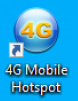
- At the login screen type in the password: admin (case sensitive)
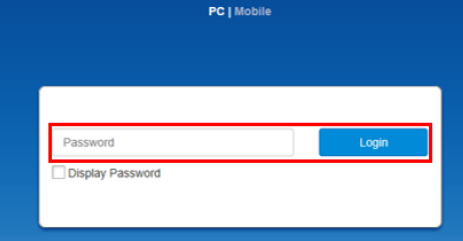
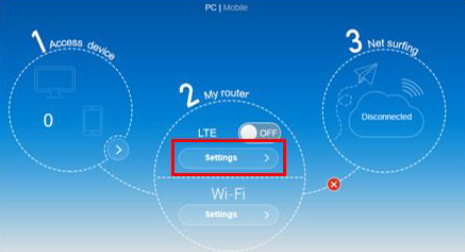
- At the dashboard screen, click on LTE Settings.
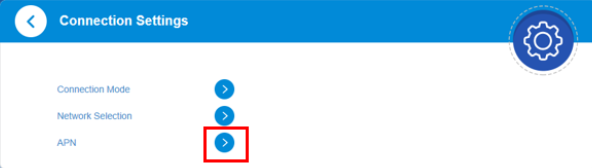
- Click on the arrow to the right of APN.
- To setup our APN click on Manual
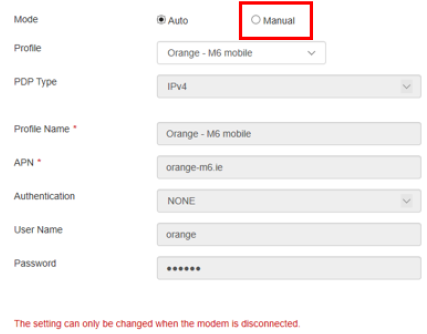
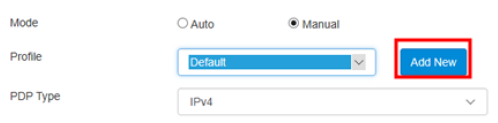
- Then click on Add New.
- Type in the Profile Name and APN, then click on ‘Apply’ and then ‘Set as default’ after the page updates.
The example below is just for reference, your Profile Name and APN will be different.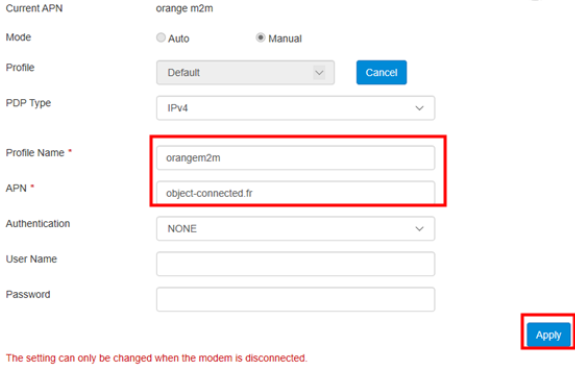
- Make sure to click ‘Set as default’ after the page updates (Bottom Right Corner).

- Click on the ZTE logo in the top left to go back to the dashboard.
- Click on LTE Settings, then click the “Network Selection” arrow.
- At the next screen, make sure Network Selection is set to “Automatic”.
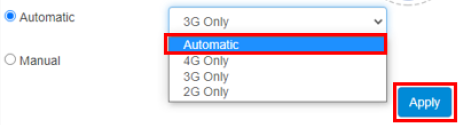
- Once done click the Apply button, then once again click the ZTE logo in the top left corner.
- Click on LTE Settings, then click the "Connection Mode" arrow.
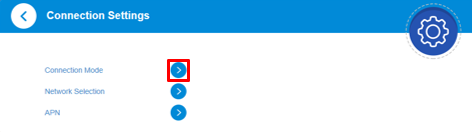
- At the next screen, tick the checkbox and ensure connection mode is “Automatic”. Tick the checkbox to enable roaming.
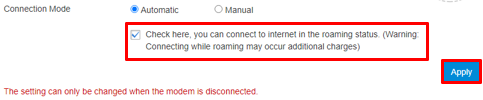
Once done, click the Apply button, then once again click the ZTE logo in the top left corner. - At the dashboard, click the ‘Off/On button’ to activate data.
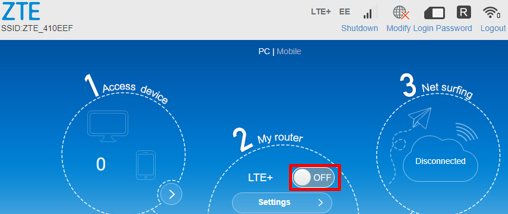
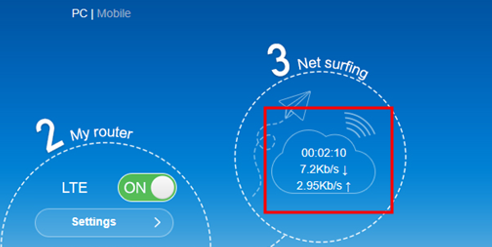
- To test you can try load a webpage in another browser or another tab, you should see activity on the sim like shown below.
- Lastly you can logout of the device using the logout option in the top right and disconnect the MiFi device.
