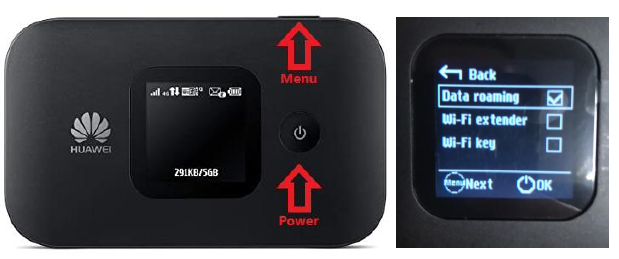
The first step is to connect to the MiFi with your laptop or computer, this can be done with a provided USB cable or wirelessly like you would connect to a WiFi network.
Use the SSID and WiFi key to log onto the device, these details will be on the back of the device or displayed on the screen.
Once you are connected, please open an Internet browser, then navigate to the one of the following pages.
http://192.168.1.1 or http://192.168.8.1
This will take you to the Huawei dashboard, select Settings and you will be prompted for a username and password.
The username is admin and fleet1 for the password.
Setting the APN
From the settings menu go to Dial-up > Profile Management.
(This is an example, your APN may be different)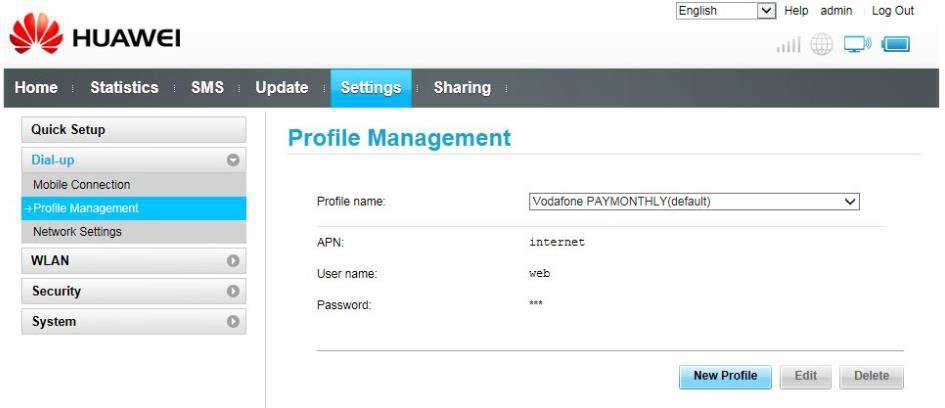
Check the APN profile that is applied, it should match the instructions sent with the SIM.
If the APN is not correct, select new profile and enter the correct details.
The APN details for your devices should be as follows.
The profile name does not have a requirement, we recommend something that you recognise as your SIM.
APN – internet Username – leave blank Password – leave blank
Network Settings
It is also worth checking the Network Settings under the Dial-up menu to check these have been configured correctly.
Both options should show as Auto like the below image.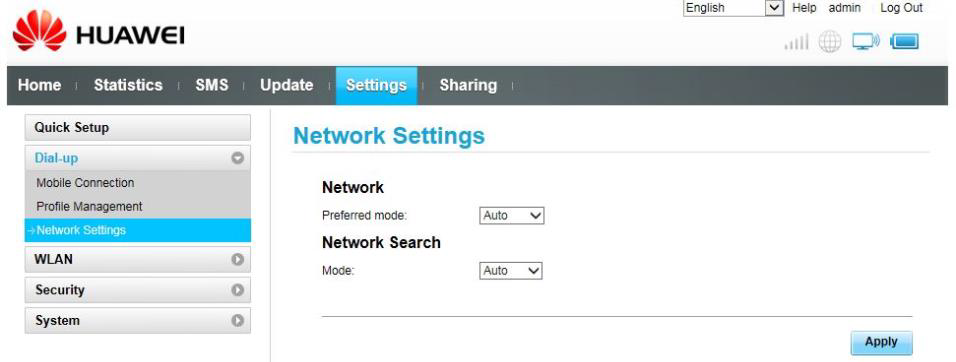
This enables the MiFi to switch between available frequencies, so if you leave a 4G area it will automatically switch to 3G if there is a better signal.
Once these details are entered you should be able to establish a data connection.
If you do have any further problems, try switching off the device and removing the SIM and re-inserting it, then boot the device back up.
Enable Roaming
From the settings menu go to Dial-up > Mobile Connection
Click the circle next to Data Roaming to Enable.
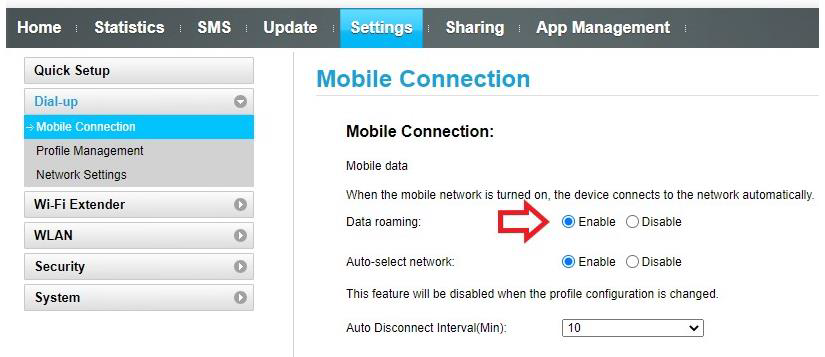
You can also enable roaming directly thought the device if it has a display.
Press the Menu button on the MiFi to scroll through the options until you get to Data Roaming.
Press the Power button to enable.